Investing for beginners
Concept study
Concept study, self-initiated · Figma, mobile, dark and light · 2025
Nestly: an investing app for people who think investing is not for them
Most investing apps open on charts and tickers, which tells a beginner the app was not made for them. Nestly is my concept study of a mobile app that starts with the person: three questions about their goal, their budget and their experience, an assistant that answers in plain words, and only then the numbers, one question per screen.
- 3questions before the first chart
- €10the lowest monthly amount on the slider
- 4tabs after onboarding, one question each
01
The goal comes before the chart
The onboarding asks three things: what the money is for, how much the person can put in each month, and how comfortable they are with investing. The goals are written the way people say them: build a safety net, travel the world, buy a home, not sure yet. The slider starts at ten euros, suggests fifty to begin with, and shows what a hundred a month could grow to.

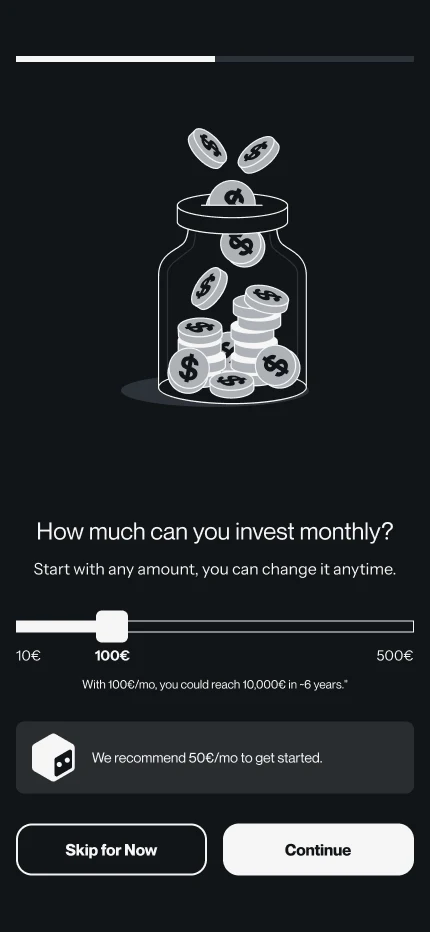

The goal, the monthly amount with its estimate, and the level of experience.
02
An assistant the person can turn down
Nesty, the assistant, is introduced through the questions beginners really ask: can I withdraw anytime, why did I lose money this week. The answers on the screen are short and specific. Turning it on is a choice, and Not now stays in the same place. The summary then repeats the three answers before anything is invested, so the plan is one the person agreed to.
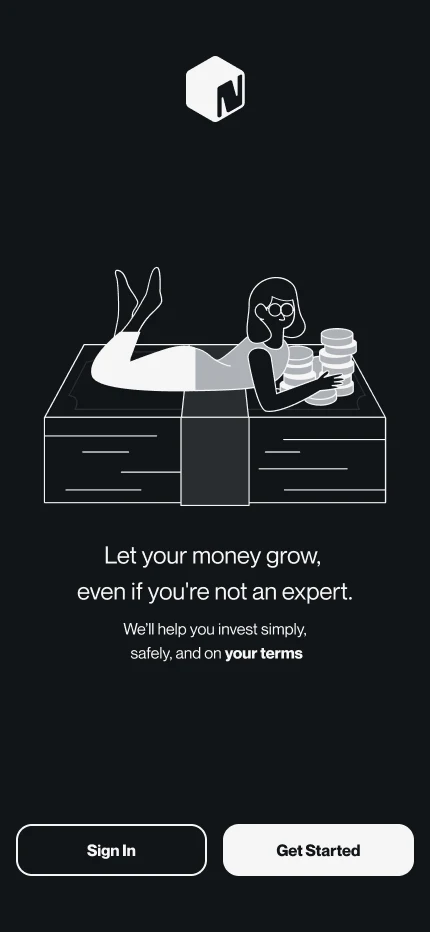
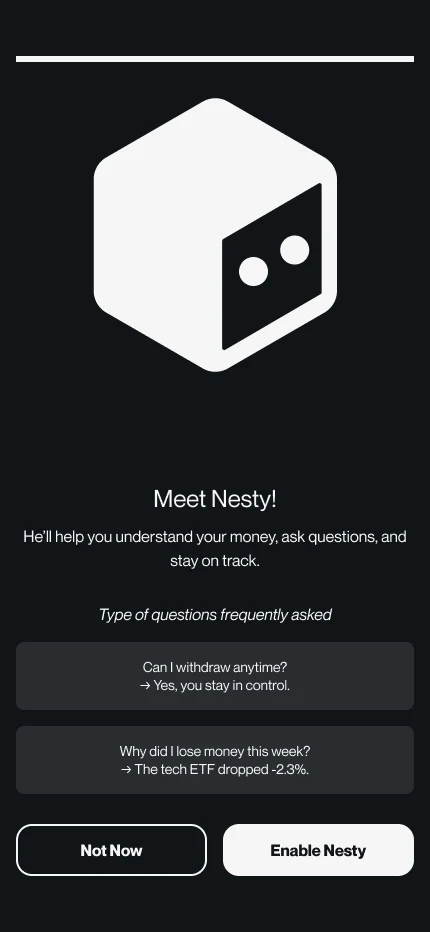
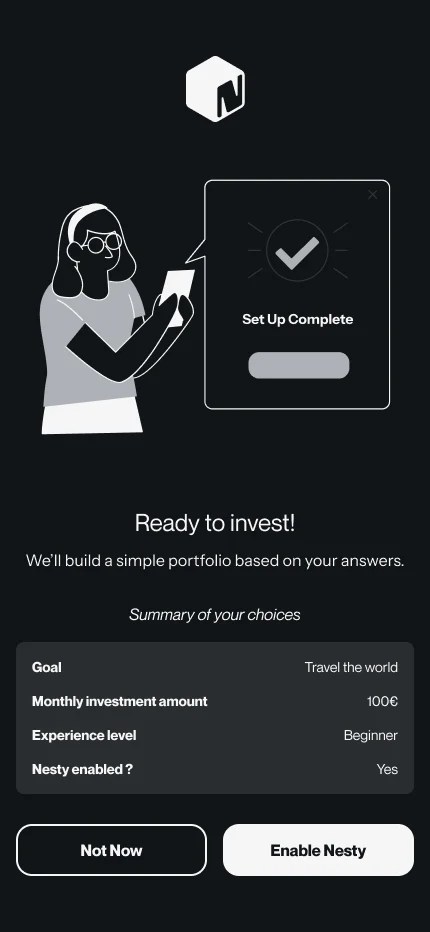
The welcome, the assistant with two sample questions, and the summary before the plan is built.
03
Then the numbers, one question per tab
After onboarding, each tab answers one question. Home: how much do I have, and how did it move this month. Portfolio: where is my money. Budget: where did it go, by category, each with its share. Invest: what to do next, with two diversification scores out of ten and the funds other members hold most. Every screen exists in dark and in light.
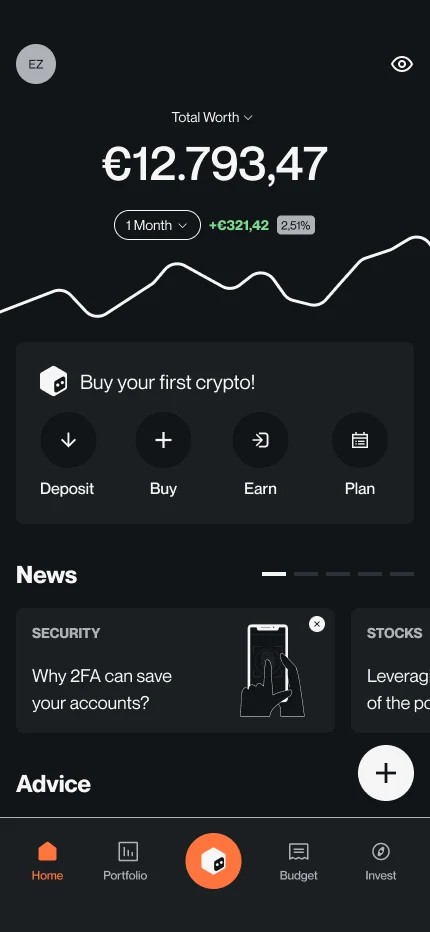
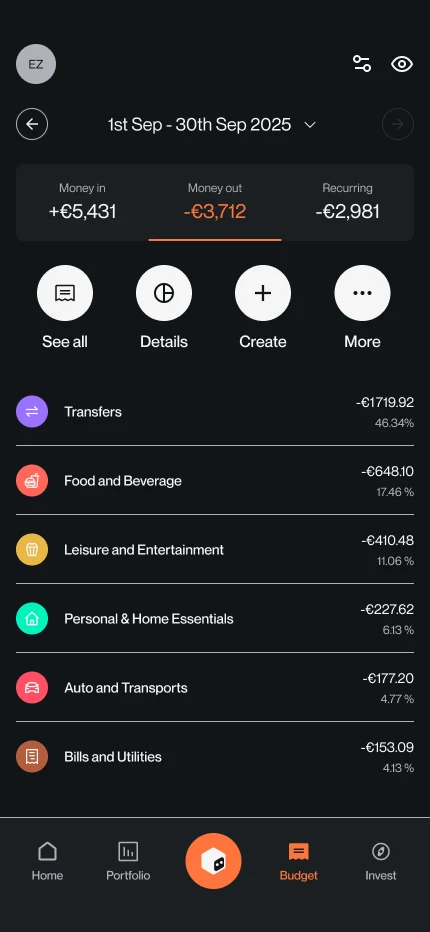
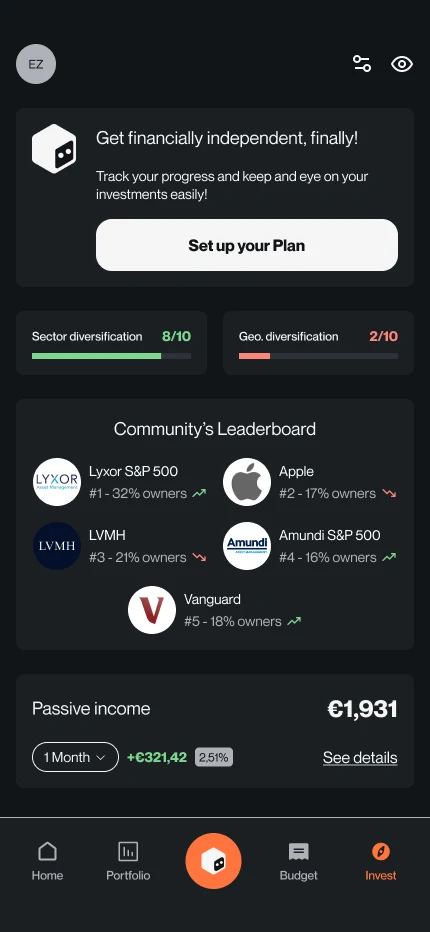
Home, the budget by category, and the invest tab with its diversification scores.